Your score comes alive: the player, the repeats, the music stand
The score no longer just gets printed: it plays, lights up chord after chord, counts your repeats and goes full screen.
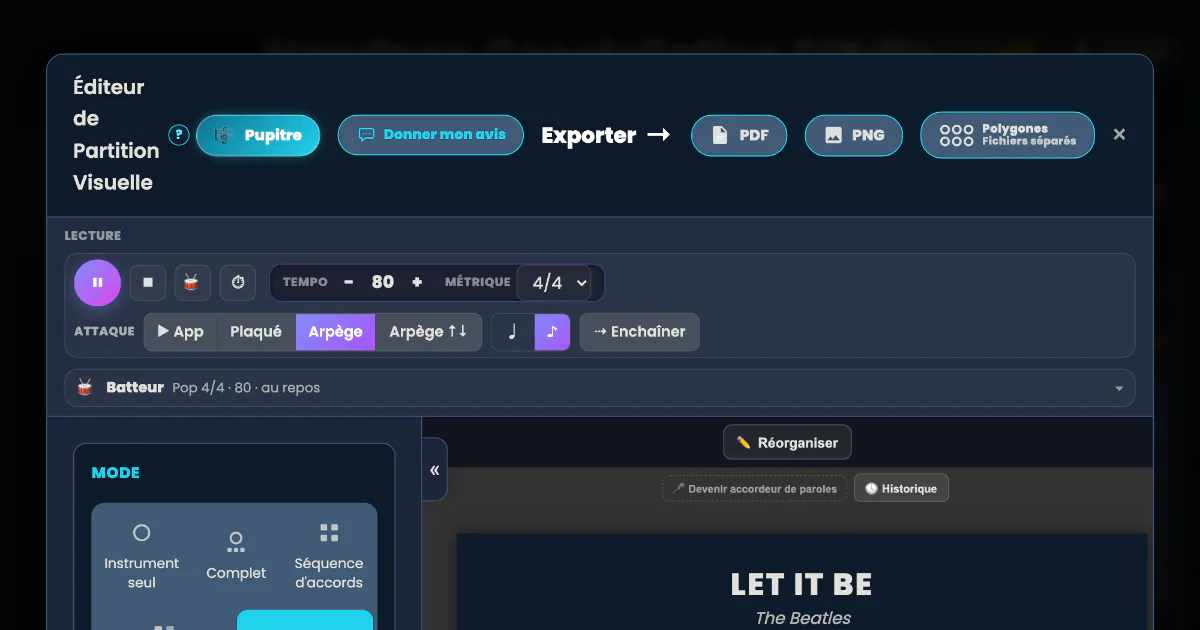
Until now, Handpan Constellation Studio’s visual score was there to keep and to pass on: you exported it as a PDF, printed it, sent it. It can now do one more thing, and it’s the one that changes daily practice: it plays itself. The current diagram lights up, the page scrolls on its own, and all you have to do is follow.
Everything below holds whether your handpan is acoustic or electronic: a score, a player, a music stand and a printout don’t depend on the instrument you play them on.
Reading a score already means doing two jobs
When you work through a chord chart, your brain does two jobs at once: playing, and knowing where you are. The second one eats almost all the energy. You lose your line, you repeat the wrong verse, you stop to check — and the musical momentum drops.
A player that points at the exact spot solves that quietly.
▶ The player: a score you can listen to
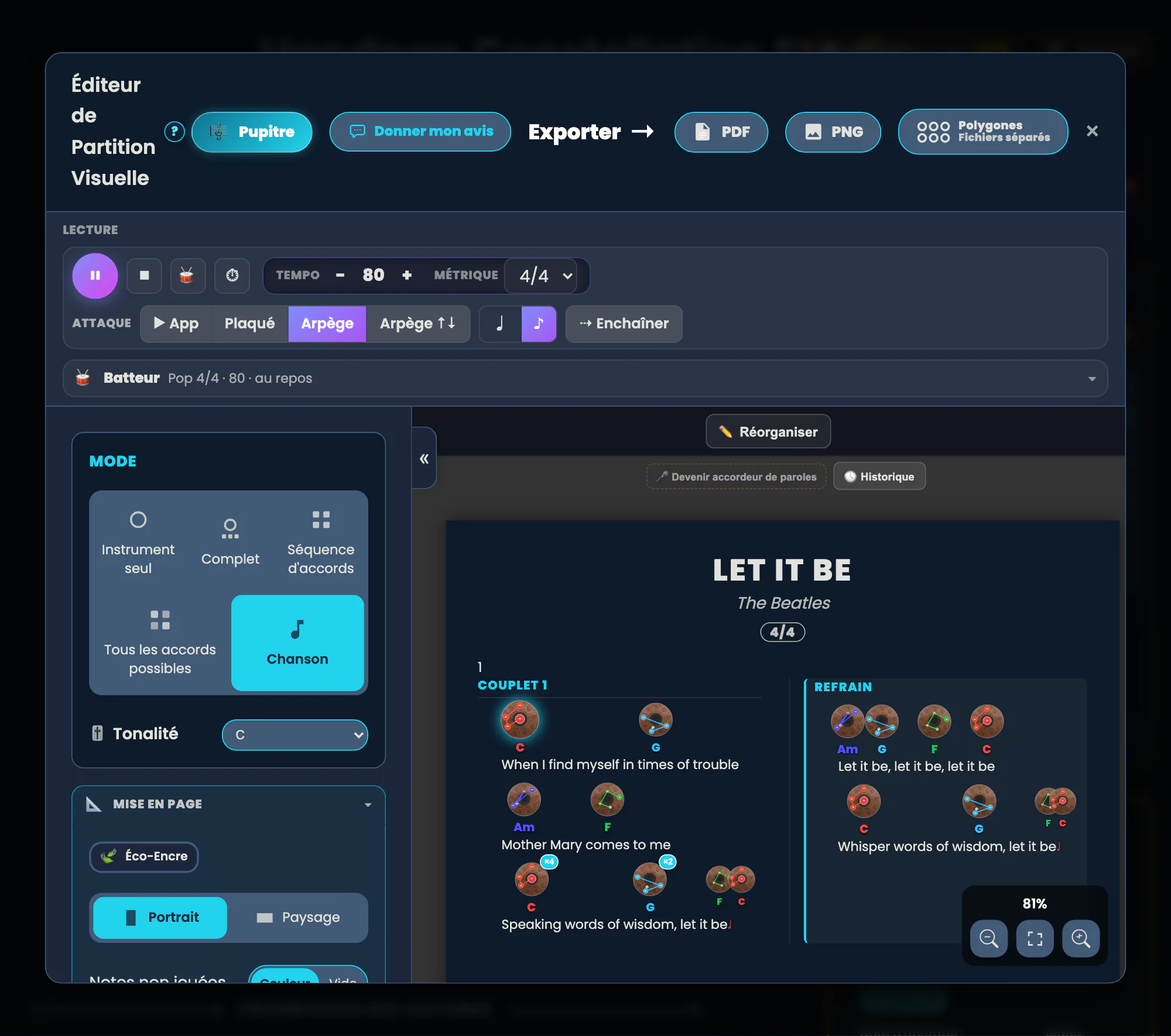
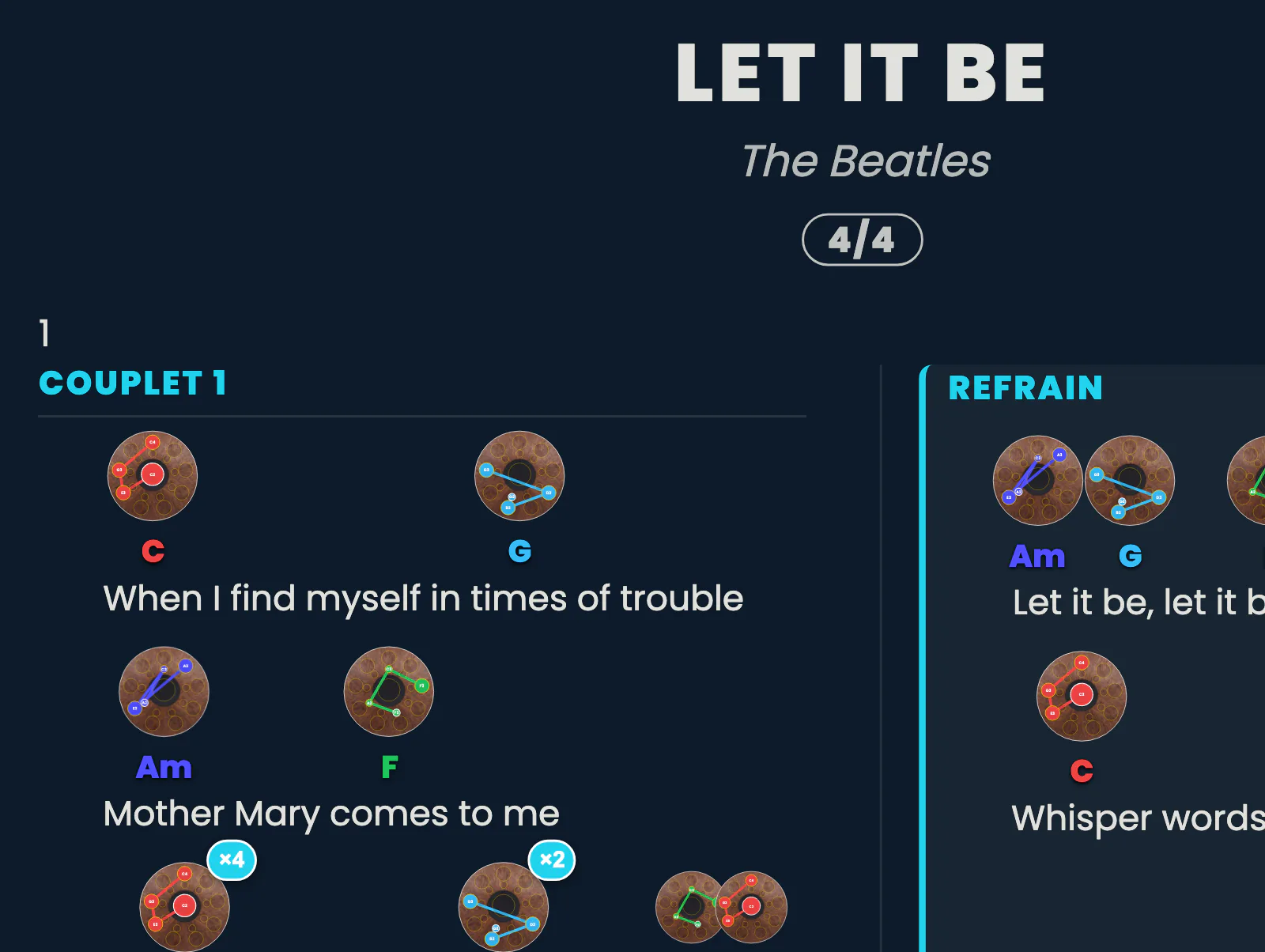
A ▶ / ⏸ / ⏹ bar plays the chords in the order of the lyrics. The current diagram lights up, the page scrolls by itself: impossible to get lost. You choose block chords or arpeggios, you set the BPM live, and the arpeggios really do unfold at the tempo — in eighths or quarters, depending on what you’re working on.
Click the image to open it, then click again for full size.
Click the image to open it, then click again for full size.
It’s also a way to learn a piece by ear: you listen to it turn at 40 BPM, very slowly, until the progression becomes obvious.
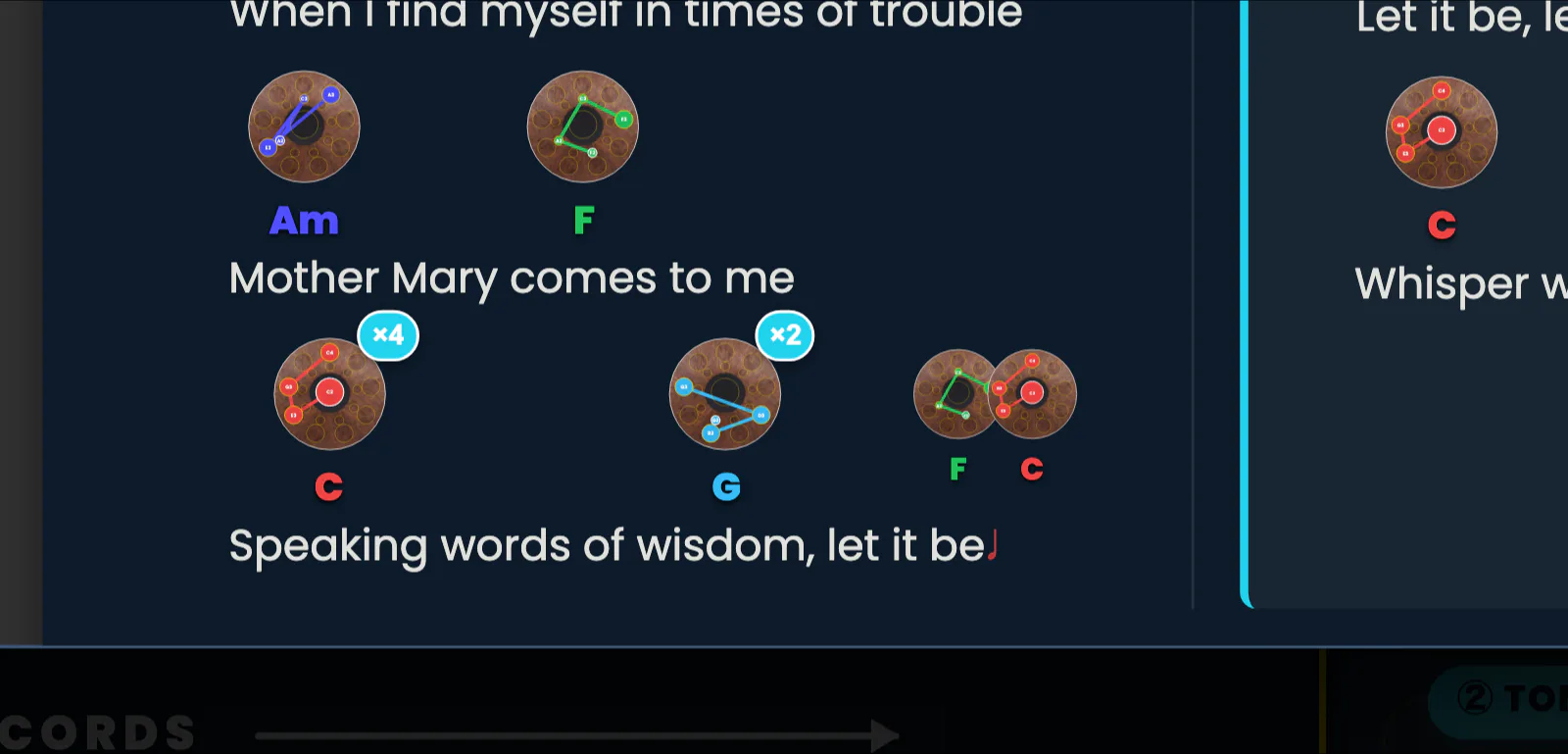
×N: saying how many times
Every chord carries a small ×N badge. One click and you say how many times to play it, from 1 to 8. The player takes it into account, and the ×N values appear on the PDF — because a chart without repeats is only half a score.
Click the image to open it, then click again for full size.
In the same spirit, a song now carries its time signature — 4/4, 3/4, 6/8 or 2/4 — displayed near the title, on the preview as well as in the exports.
🎼 The music stand (Pupitre): full screen, screen awake
Here’s the little detail that helps every single day. One 🎼 button and your score goes full screen, ready to play from an iPad or a phone propped in front of you: scroll with a finger, zoom by double-tap or pinch, and above all the screen stays awake while you play. No more screen going dark mid-chorus, no file to generate, no waiting.
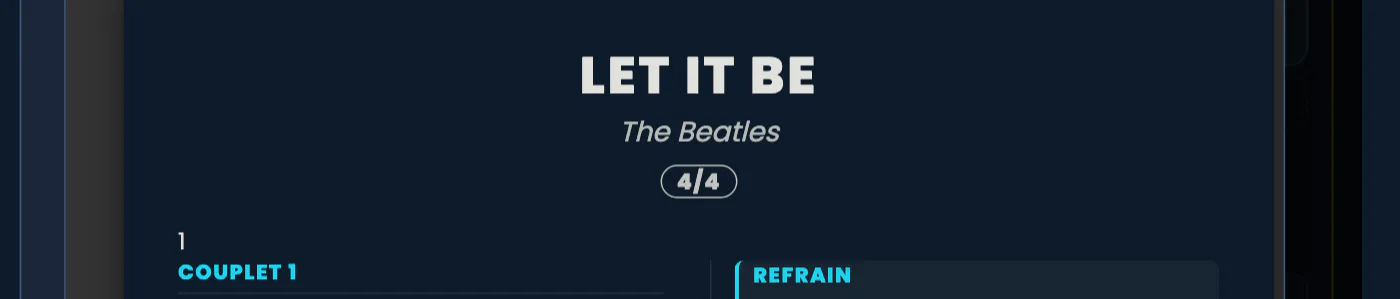
Click the image to open it, then click again for full size.
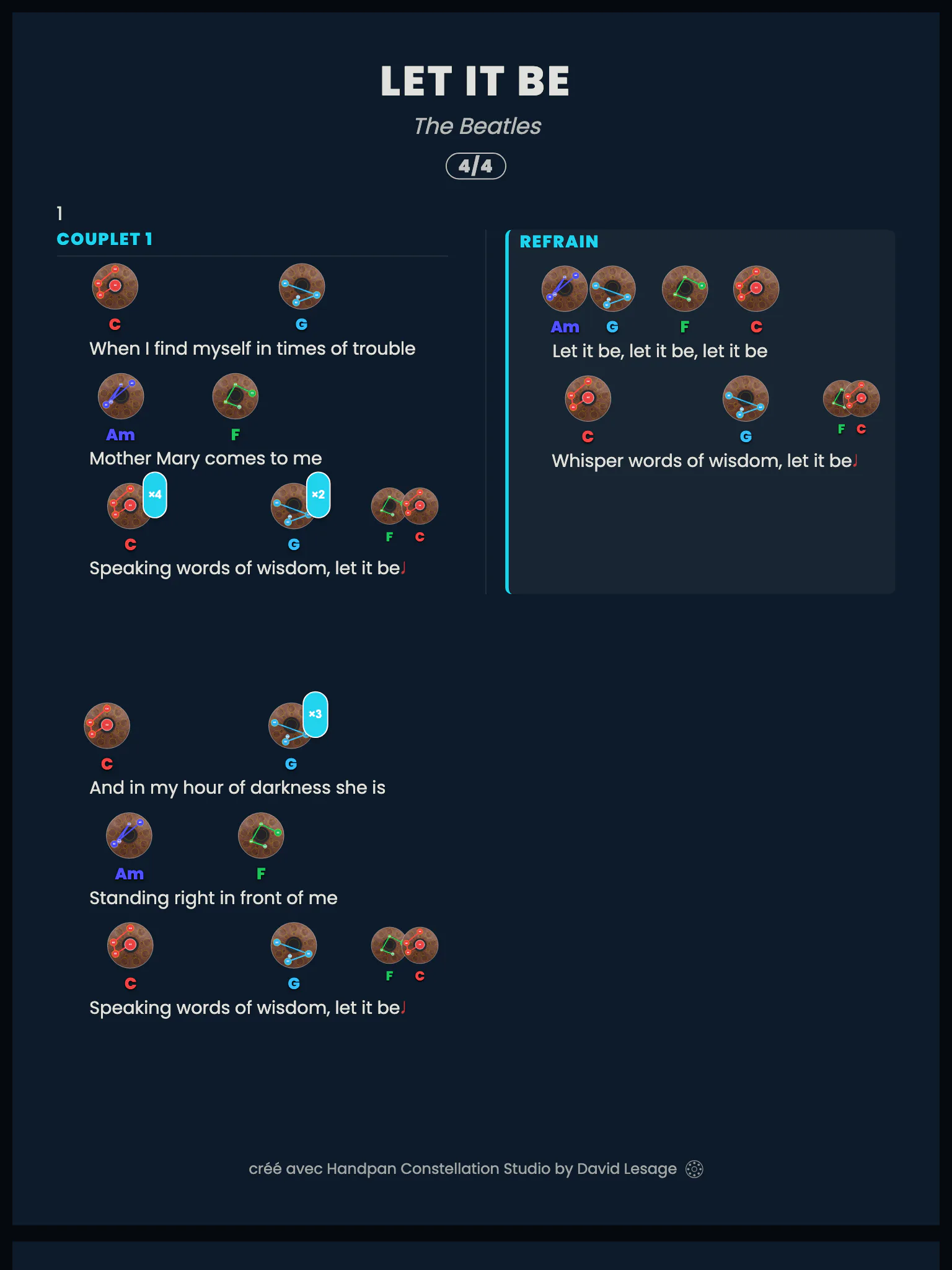
Click the image to open it, then click again for full size.
The music stand opens from the editor, from your pieces, and on the way out of Quick Jam.
🖨 And for those who love paper
A piece you composed now prints the way it’s played: one line per part, with its colour band (Verse, Chorus, Bridge…), the diagrams in order, and all your settings respected — Eco-Ink mode, landscape, legend. An optional memo page lists the chords section by section, with their repeats.
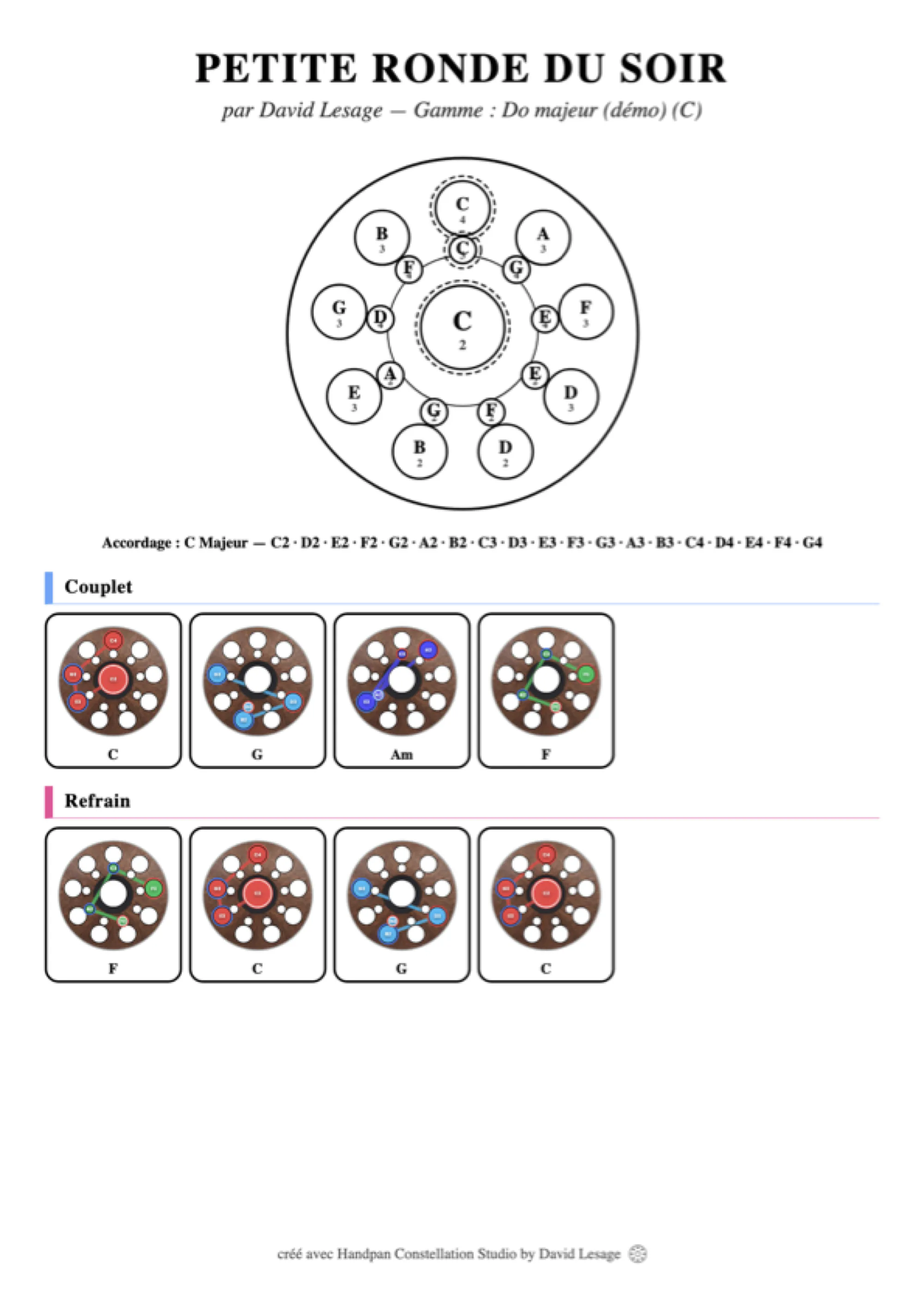
Click the image to open it, then click again for full size.
You can also choose the diagram size — S, M, L or XL — for a score that reads from a distance, and reorder lyric lines by drag and drop.
A score written by several hands
One last point, and it matters: shared scores keep track of who contributed what, first and last name shown. Placing a chord in the right spot, fixing a repeat, specifying a time signature: small gestures, but end to end they build a handpan repertoire that existed nowhere else. It’s the same spirit as the feedback feature — a tool we make together.
Exports made without Studio access carry a discreet “free version” watermark; everything else — player, music stand, repeats — stays under your fingers.
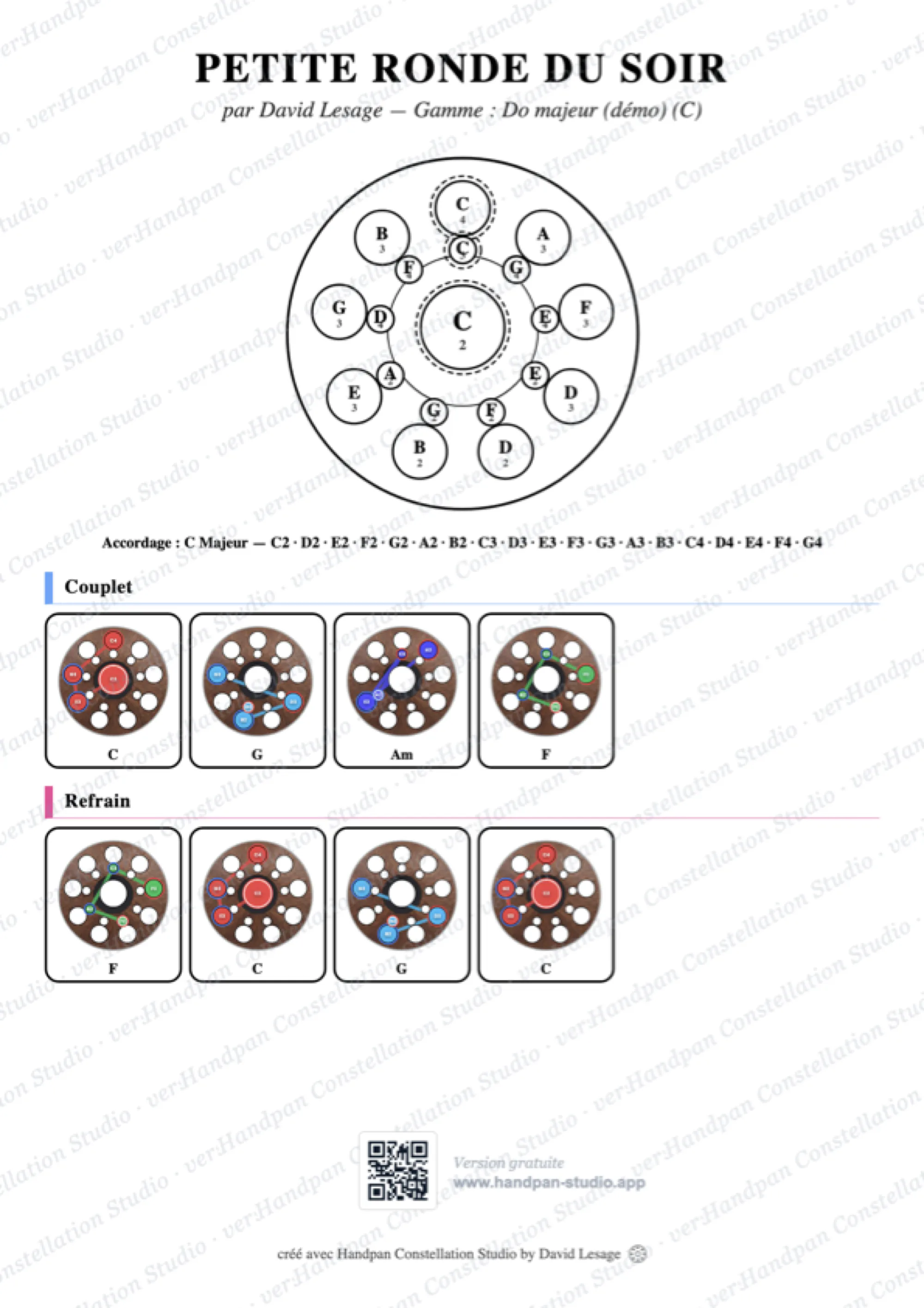
Click the image to open it, then click again for full size.
Open Handpan Constellation Studio, load a song and press ▶. Watch it light up chord after chord: that’s the moment a score stops being a document. And if you’d like us to work through a piece together, my handpan lessons are made for that.
Ready to make your colours sing?
Try the app for free, or discover the electronic Neotone handpan.