Quick Jam: accompany a musician in three clicks
A friend calls out "G minor, I-IV-V on the verse"? Three clicks and your score is ready. And if you only know the chords, the app works out the key.
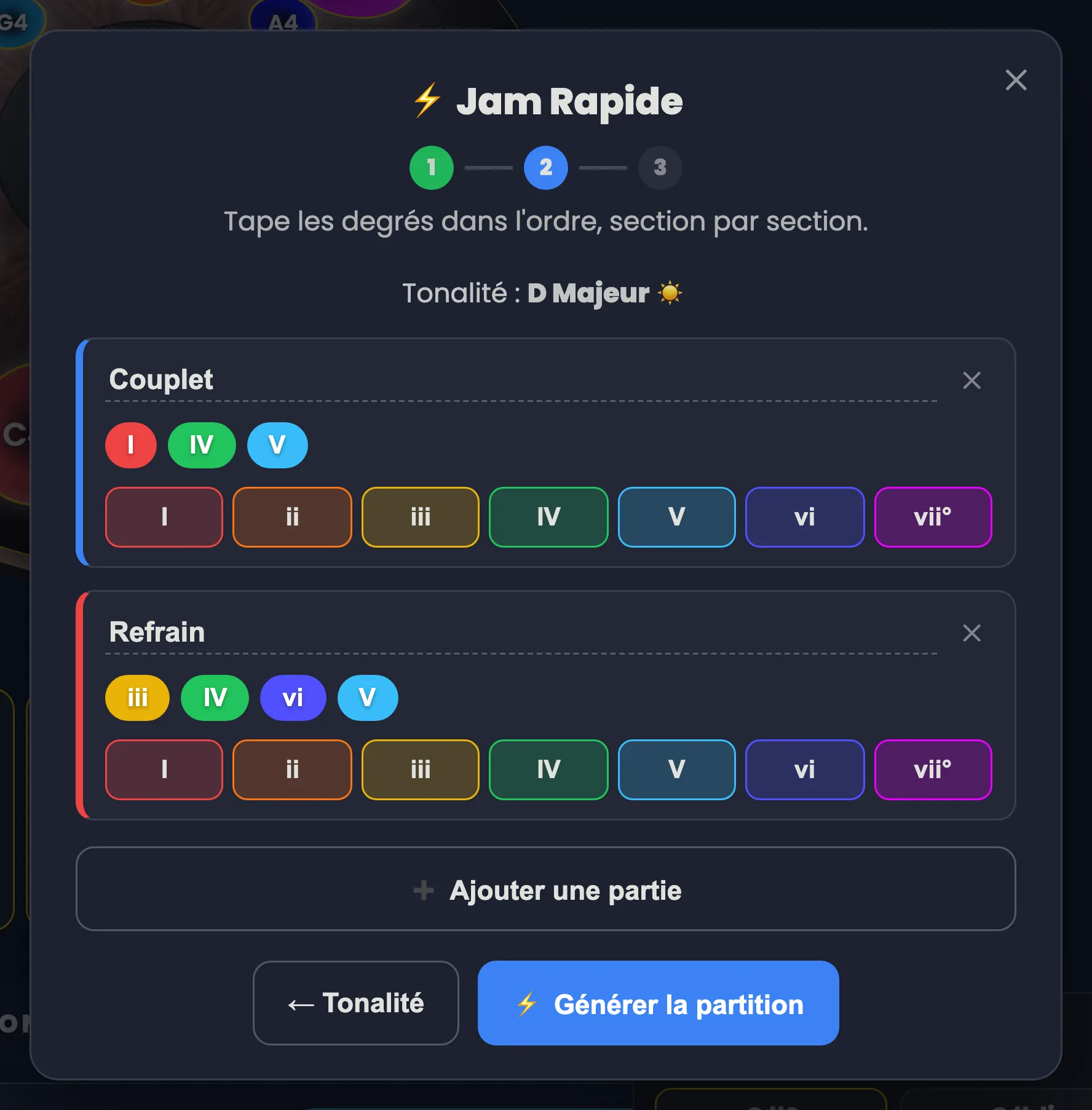
Handpan Constellation Studio’s Quick Jam (⚡ Jam Rapide in the app, still labelled in French) turns a line thrown across the room — “we’re in G minor, I-IV-V on the verse” — into a ready-to-play score, with named sections and diagrams in the right order. Three clicks. About as long as the guitarist needs to finish tuning.
That route doesn’t depend on the instrument in your hands: acoustic or electronic, you give the same key, you lay out the same degrees, and you get the same score. Only one step in this article applies specifically to the electronic handpan, and it is flagged as such.
The scene every handpan player knows
A campfire, a living room, a jam. Someone says “it’s in A minor, four chords, you following?”. Everyone starts. You’re still wondering whether your scale contains an E, which note to strike first, and whether what comes out will be in tune.
The problem isn’t musical, it’s logistical. You need fifteen seconds to translate what you’ve just been told into something your hands can read.
Three clicks, one score
Quick Jam does exactly that translation. You give the key, you lay out the degrees per section — I-IV-V on the verse, III-IV-VI-V on the chorus — and the app hands you a full score: named sections, chord diagrams in order, ready to play or print.
The harmony comes out right across the four scale families: major, natural minor, harmonic minor and melodic minor — including the three faces of minor.
Click the image to open it, then click again for full size.
”I don’t know the key, just the chords”
That’s the most useful door, because it’s the most common situation. People rarely dictate degrees; they dictate chord names.
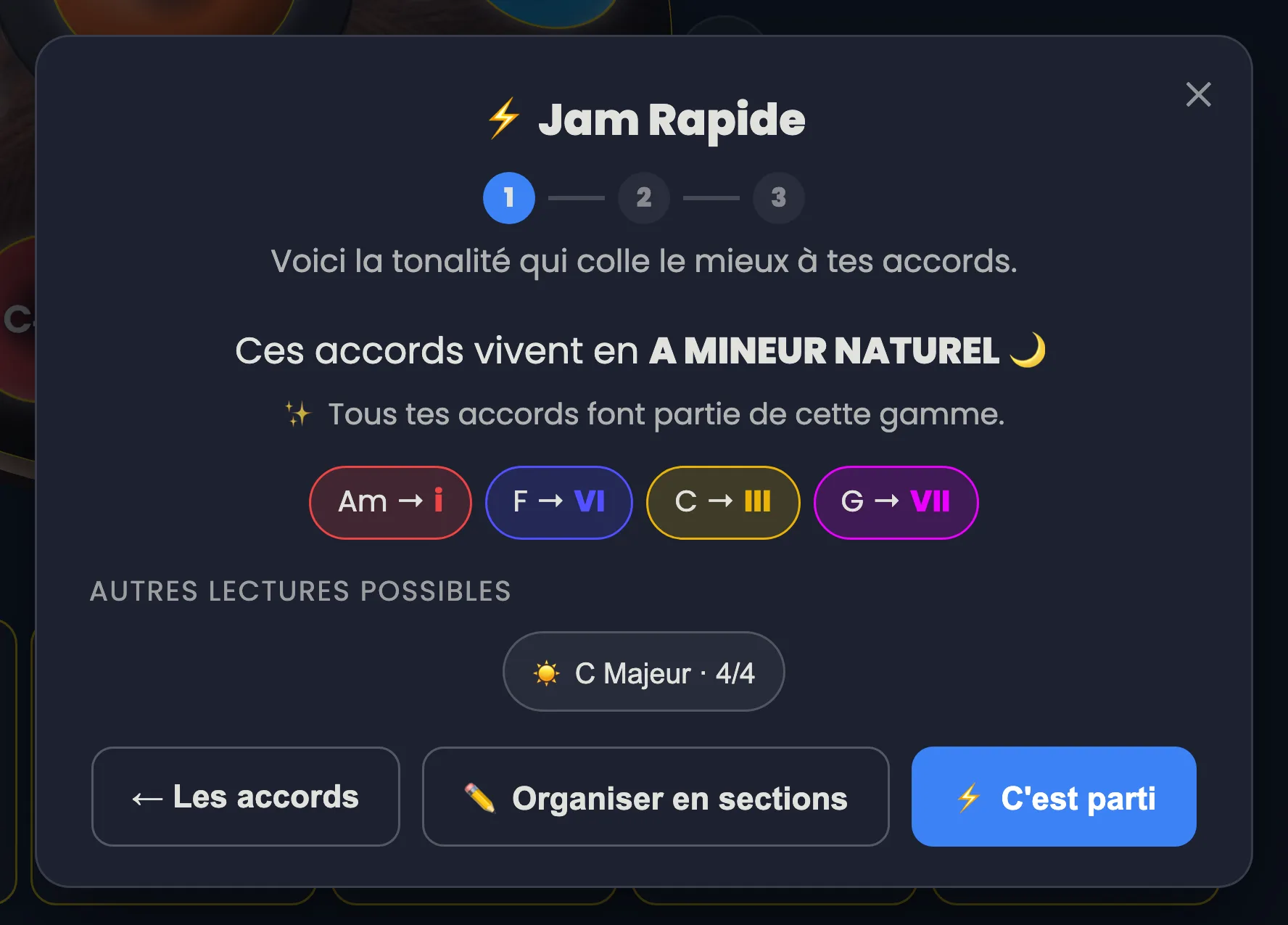
Type them exactly as you’re given them — “Am, F, C, G”, or in Do Re Mi if that’s your language — and the app works out the key on its own, in plain words. If a chord doesn’t fit the key it found, it points that out gently rather than flattening it, and offers the credible alternatives. One click, and you have your scale, your piece and your score.
Click the image to open it, then click again for full size.
The “See the scale” card: a step specific to the electronic handpan
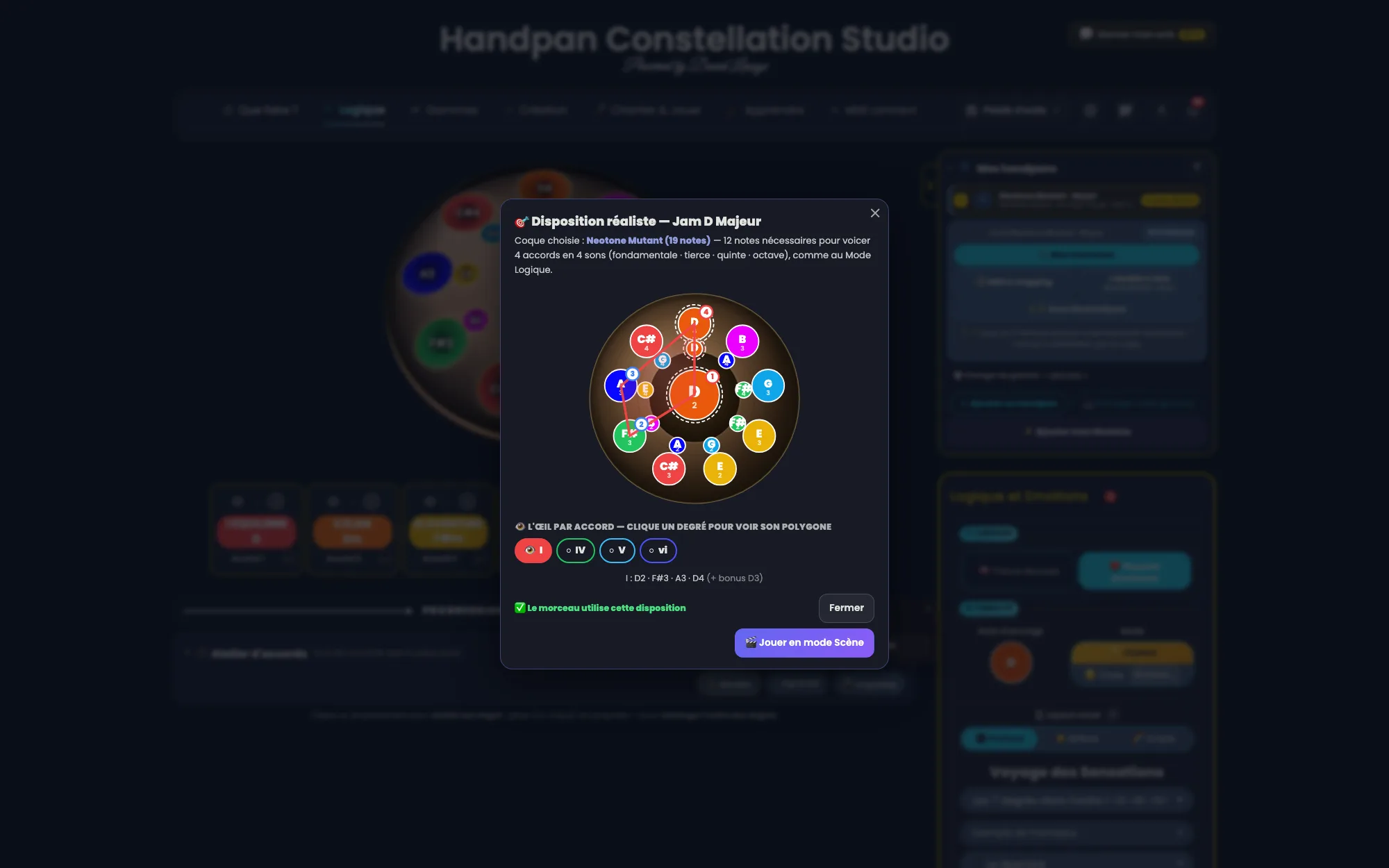
This one applies to the electronic handpan only. On the way out of Quick Jam, a “See the scale” card (Voir la gamme) draws the matching instrument on a real Neotone shell: each chord is voiced root · third · fifth · octave, exactly as in Logic Mode, and the shell picks itself — Neotone¹ with 10 notes if that’s enough, Mutant with 19 otherwise.
So before playing a single note you can see whether the piece fits your instrument — and if you play a Neotone, you can load that layout straight away. On an acoustic handpan there is nothing to load: its notes are hammered into the steel once and for all. The card then serves purely as a comparison — what the piece asks for, against what your pan holds.
Click the image to open it, then click again for full size.
Transposing for the voice
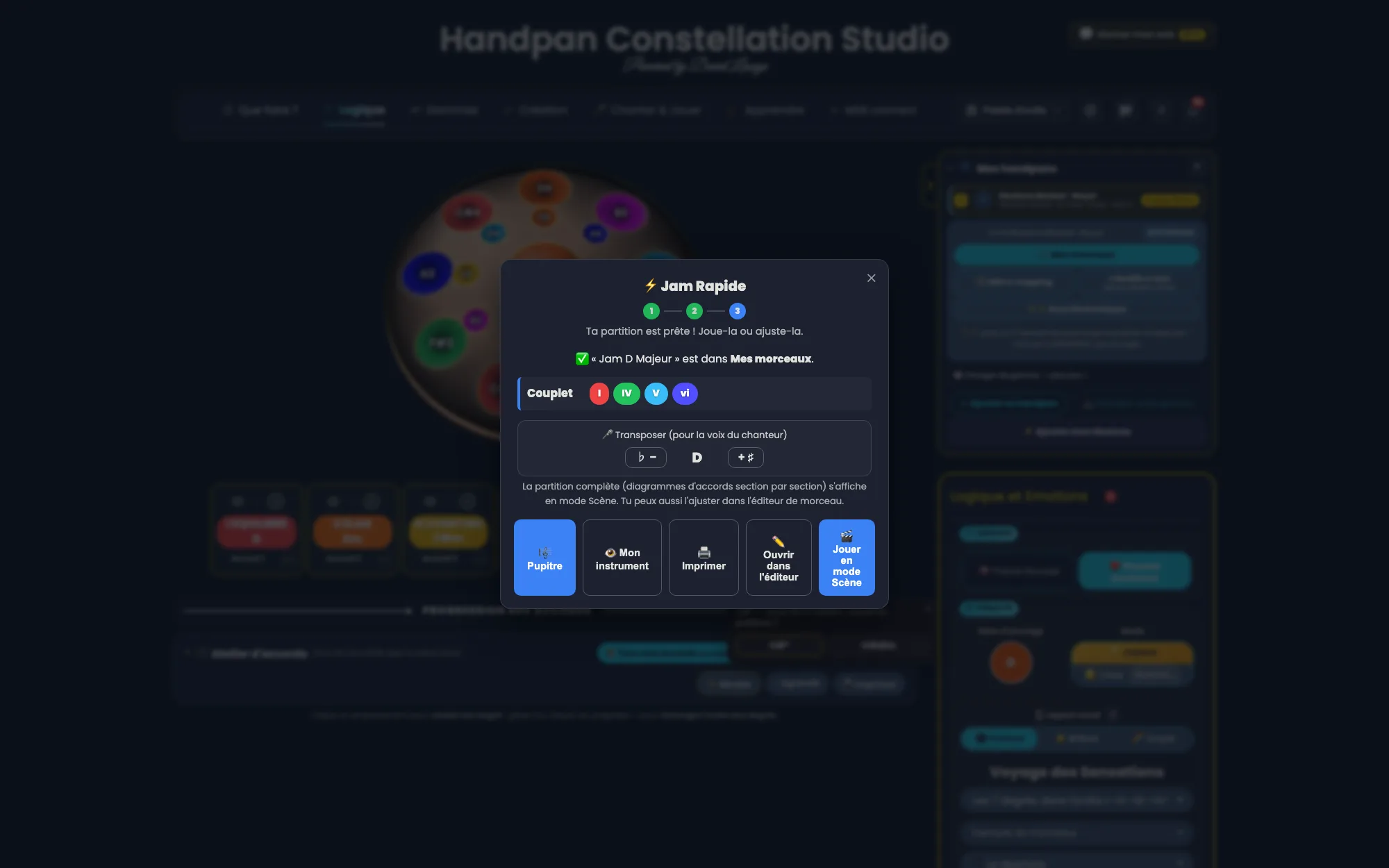
The last jam reflex: someone sings, and the key is too high. The ♭ / ♯ buttons shift the whole piece by a semitone, chords included, and ”↩ Back to original” undoes everything. It’s the move described in Transposing to sing, applied to the whole piece instead of a single note.
Click the image to open it, then click again for full size.
And then?
The resulting score isn’t a dead end: it opens full screen on the music stand (Pupitre), it prints, it stays in your pieces and it plays back chord by chord — that’s the subject of Your score comes alive.
Next time someone calls a key over their shoulder, open Handpan Constellation Studio and make it playable before the first verse is over. And if you’d like to learn to hear those progressions instead of typing them, my handpan lessons start right there.
Ready to make your colours sing?
Try the app for free, or discover the electronic Neotone handpan.